Explore Before Deciding
Learners must review all available information before the decision becomes available, reinforcing information gathering before action.
Interactive Workplace Simulation | Articulate Storyline
An interactive workplace simulation that challenges learners to review competing requests, identify changing priorities, and make a time-sensitive decision.
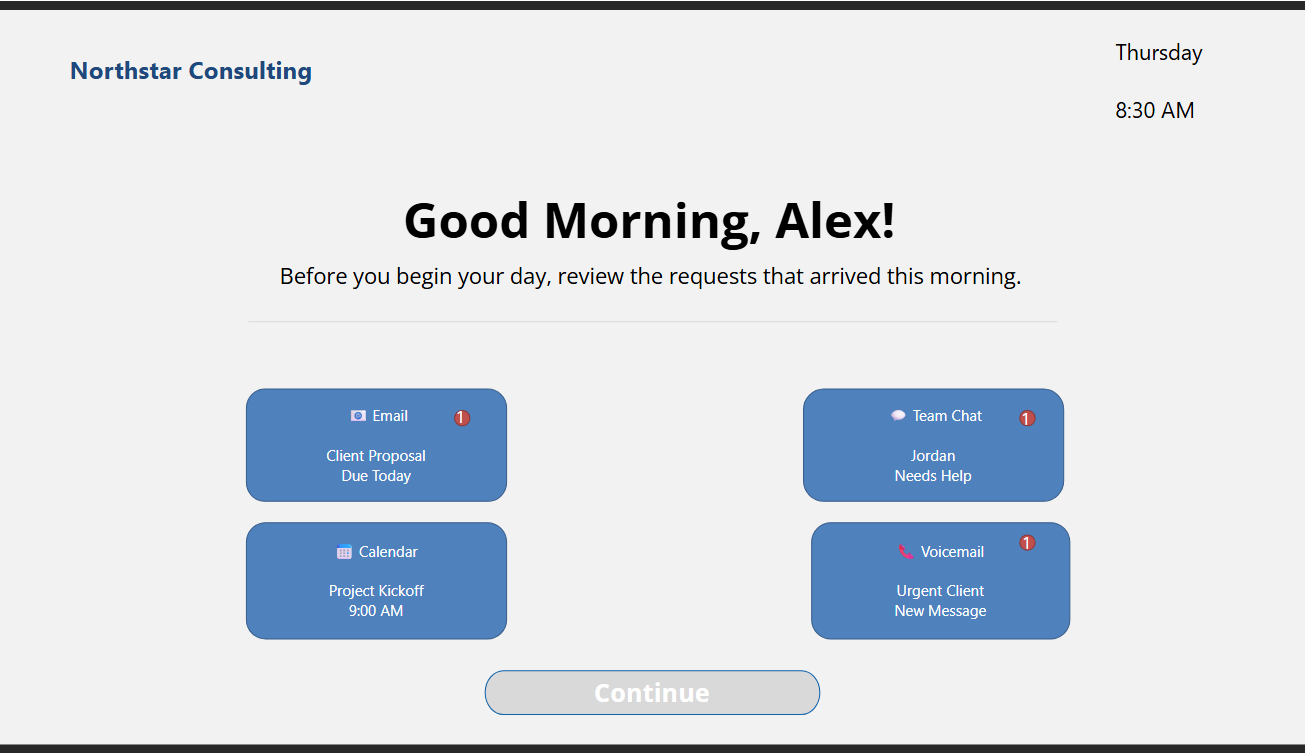
Workplace priorities can shift quickly when new information, deadlines, and stakeholder needs compete for attention. Traditional training often explains prioritization principles without giving learners an opportunity to practice making the decision themselves.
Northstar Consulting was designed as a short scenario-based experience that places the learner in a realistic Monday-morning workflow and asks them to determine what should happen first.
The learner assumes the role of Alex, a Northstar Consulting employee beginning the workday. Four new items are waiting on the dashboard: an email, team chat, calendar event, and urgent client voicemail.
The learner must review all four sources before continuing. After gathering the available information, the learner selects which task Alex should prioritize.
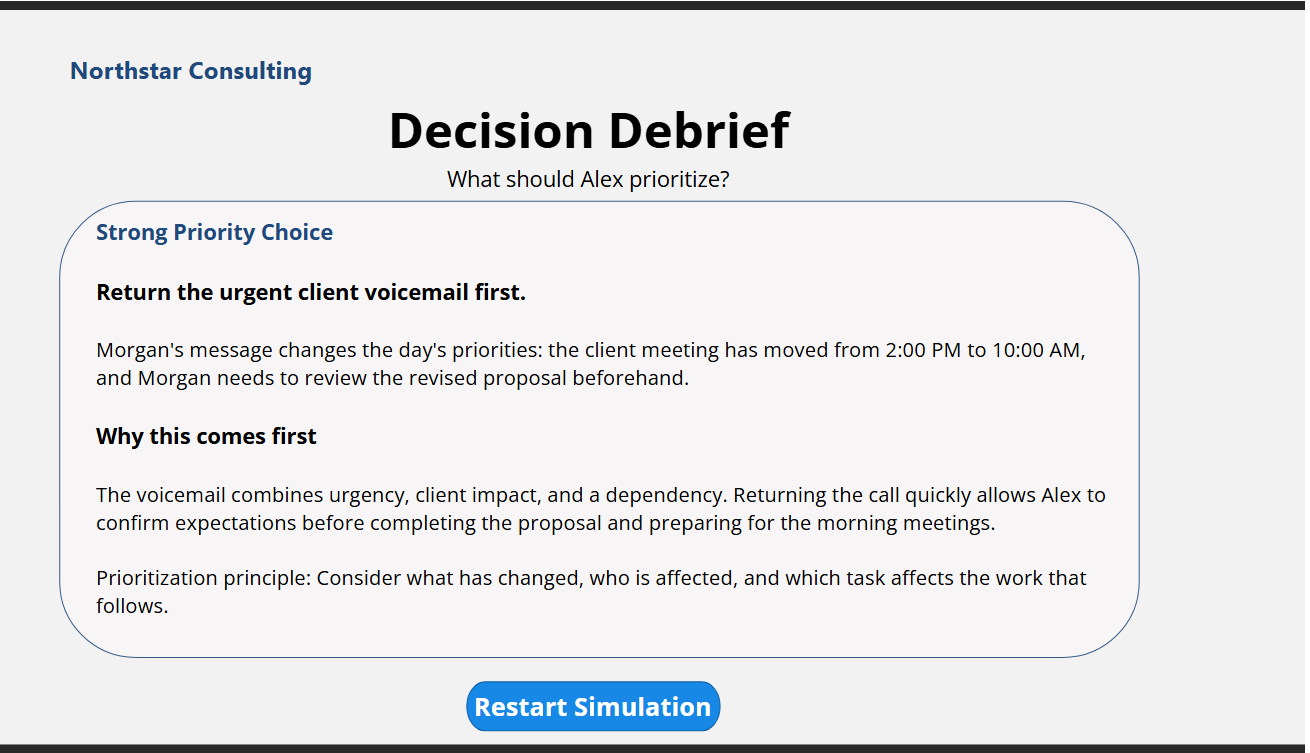
The simulation then provides decision-specific feedback explaining the consequences of the choice and the prioritization principle behind it.
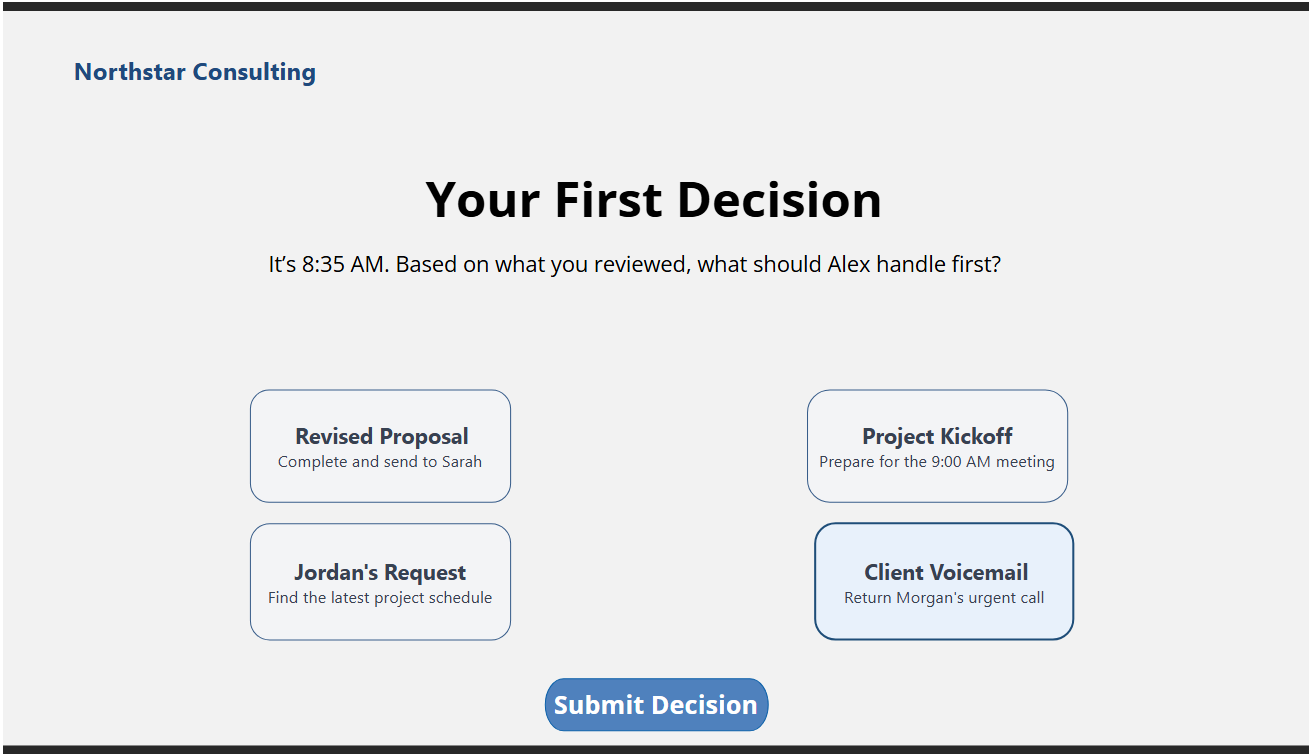
Learners must review all available information before the decision becomes available, reinforcing information gathering before action.
Rather than answering a traditional knowledge-check question, learners make a workplace decision based on urgency, impact, dependencies, and changing information.
Each decision produces tailored feedback explaining why the choice is strong, reasonable but incomplete, or lower priority.
The simulation was developed in Articulate Storyline as a functional interactive prototype. The experience uses Storyline's interaction logic to control learner progression, track reviewed information, capture the learner's decision, and display conditional feedback.
The final prototype underwent functional and accessibility QA before publishing. Testing included interaction states, conditional logic, navigation, restart behavior, semantic heading structure, alternative text, decorative objects, and accessibility-checker findings.
The published web version was also tested independently to confirm that the live experience behaves consistently with the Storyline preview.
Review the incoming requests, determine what changed, and decide what Alex should prioritize first.